
Download Paintz – Free Online Paint App, Simple Graphic Editor
Overview & Compatibility
Paintz is a lightweight, web‑based paint application created by indie developer Zachary Yaro. Designed as a modern alternative to the classic MS Paint, Paintz delivers a familiar toolbar, basic drawing tools, and instant accessibility from any browser without the need for a download or installation. The app runs entirely in HTML5 and JavaScript, which means it works on Windows, macOS, Linux, ChromeOS, Android, and iOS devices alike—any platform that supports a contemporary web browser.
Whether you are using a desktop mouse, a laptop trackpad, or a touch screen on a tablet, Paintz automatically detects the input method and provides smooth, responsive drawing experiences. Because it lives in the cloud, updates are applied instantly, keeping the tool secure and up‑to‑date without user intervention. Paintz targets users who need a quick, no‑frills solution for sketching, annotating screenshots, or creating simple graphics for presentations and social media.
Its interface echoes the nostalgic look of older Windows Paint versions, making it instantly recognizable for users of all ages. While it lacks advanced layering or filter capabilities found in professional suites, its simplicity is precisely the strength that attracts hobbyists, students, and educators seeking a fast, free graphic editor. In short, Paintz offers a secure, cross‑platform, and instantly available drawing canvas that anyone with a browser can start using within seconds.
Operating System Support: Windows, macOS, Linux, ChromeOS, Android, iOS (any modern browser)
Key Features & How to Get Started
- Intuitive toolbar with pencil, brush, eraser, and shape tools.
- Adjustable line thickness and opacity for precise control.
- Canvas size adjustment and zoom controls for detailed work.
- Undo/Redo stack supporting multiple steps.
- Mouse, trackpad, and touch input detection.
- Instant saving as PNG or JPEG without server storage.
- Responsive design works on desktop and mobile screens.
- Zero‑cost, no registration required.
Installation & Usage Instructions
Getting started with Paintz is deliberately straightforward. Open your preferred browser (Chrome, Edge, Firefox, Safari, or any Chromium‑based mobile browser) and navigate to the official Paintz URL (e.g., https://paintz.app). The application loads in seconds because it consists only of HTML, CSS, and JavaScript files served from a CDN. No download or installation steps are required, making it ideal for secure environments where software installation is restricted.
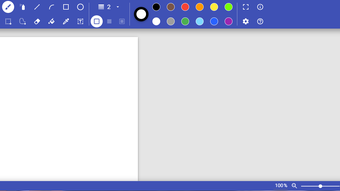
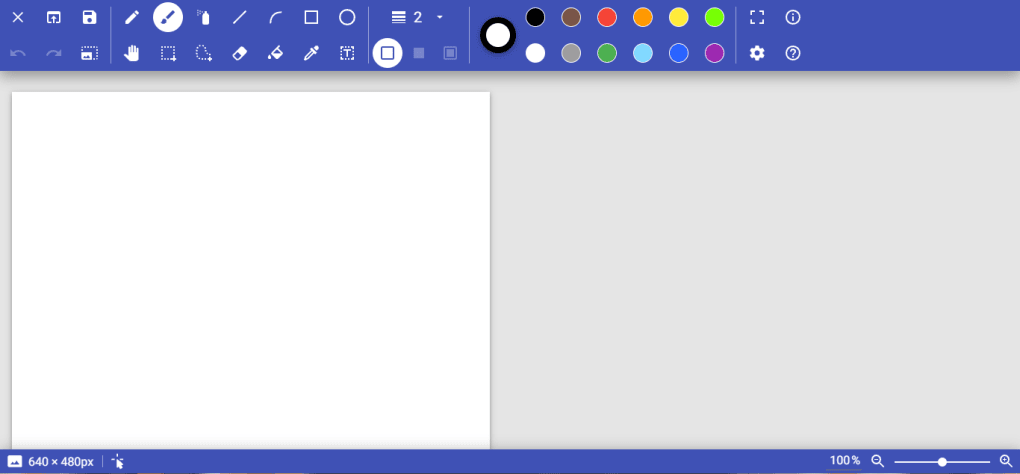
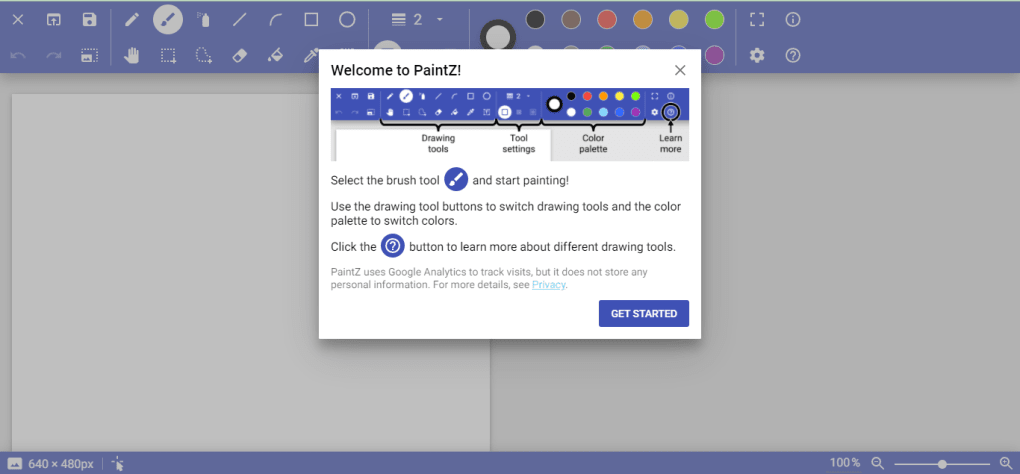
Once the interface appears, you’ll see a top toolbar reminiscent of the classic MS Paint layout. Select a tool—pencil for fine lines, brush for broader strokes, or the shape icons for rectangles, circles, and polygons. Adjust the thickness slider located next to each tool to match your desired stroke weight. Below the toolbar, the canvas area can be resized by entering width and height values or using the preset options. Use the zoom controls (plus and minus icons) to get a closer view when working on intricate details.
To start drawing, simply click (or tap) on the canvas and move the pointer. The undo button (curved arrow) reverts the most recent action, while the redo button restores it if needed. When your artwork is complete, click the “Save” icon, choose PNG or JPEG, and the file downloads directly to your device. Because the app never stores your image on a remote server, privacy is guaranteed. For users who prefer keyboard shortcuts, Paintz supports common commands: Ctrl+Z for undo, Ctrl+Y for redo, and Ctrl+S to trigger the save dialog.
Pros, Cons, and Frequently Asked Questions
Pros
- Completely free and does not require registration.
- Runs on any modern browser, making it platform‑agnostic.
- Fast loading time; no heavy installation files.
- Simple, familiar UI that lowers the learning curve.
- Supports both mouse and touch inputs for versatile use.
Cons
- No layer support or advanced filters for professional editing.
- Limited export options (only PNG/JPEG).
- Relies on internet connectivity for initial load (though offline use works after caching).
- Feature set is intentionally basic, which may feel restrictive for power users.
Do I need an account to use Paintz?
No. Paintz is completely anonymous; you can start drawing as soon as the page loads without signing up.
Can Paintz be used offline?
After the initial load, the application caches its assets, allowing you to continue drawing without an active internet connection.
What image formats can I export?
Paintz offers PNG and JPEG export. Both are saved directly to your device, and there is no server‑side storage.
Is Paintz safe for children?
Yes. The app runs entirely in the browser, does not collect personal data, and contains no ads or third‑party trackers.
How often is Paintz updated?
Because Paintz is web‑based, updates are pushed automatically by the developer. Users always see the latest version on page load.
Conclusion & Call‑to‑Action
Paintz succeeds in delivering exactly what its name promises: a simple, free, and instantly accessible paint tool that feels familiar yet modern. For anyone who misses the straightforwardness of classic MS Paint or needs a quick sketching solution on a device without installed software, Paintz offers a secure, cross‑platform answer. While power users may outgrow its feature set, the app’s focus on speed, privacy, and ease of use makes it a valuable addition to the toolbox of students, teachers, designers on a budget, and casual creators alike. Because there are no hidden fees, no registration hurdles, and no bulky installers, you can start creating right now—just open a browser tab and begin drawing.
Ready to try the most convenient online drawing canvas? Click here to launch Paintz and start your first masterpiece instantly. Remember, the tool is free, secure, and constantly updated, so you’ll always have a reliable companion for quick graphics work. If you enjoy the experience, consider sharing the link with friends or posting about it on social media; the developer appreciates community support and continues to refine the app based on user feedback.
Overall Rating: 4.5 / 5



.png)



